Automatic coverage setup: one click and a pull request
If you’ve ever set up code coverage reporting on CI, you might remember the loop. Add the upload step, push, and wait for the test suite to finish. Something goes wrong: Maybe you mis-typed a flag in your test runner, or you got something wrong in your authorization. You fix the path, push, and wait again. Maybe you get it done in an afternoon, or maybe you give up out of frustration.
That’s why we’ve added automatic coverage setup: You click a button, an agent reads your CI and opens a pull request with the change, and you review the diff. Forget about your config and get back to building your product.
What you do
The Set up coverage page now includes an Automatic tag. Just click Set up automatically, and Qlty opens the build page.
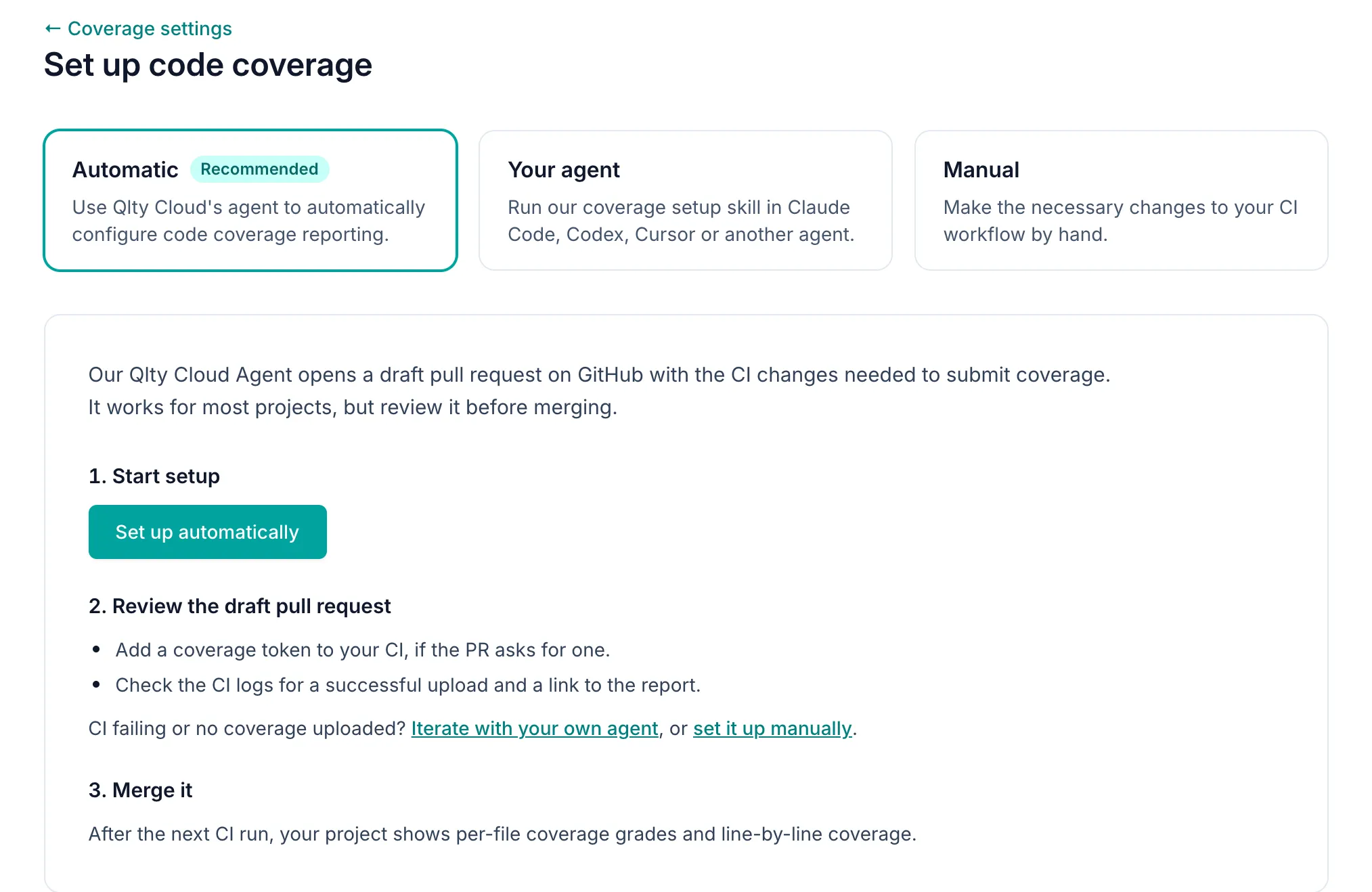
When the build finishes, you’ll see a draft pull request telling you what the agent changed.
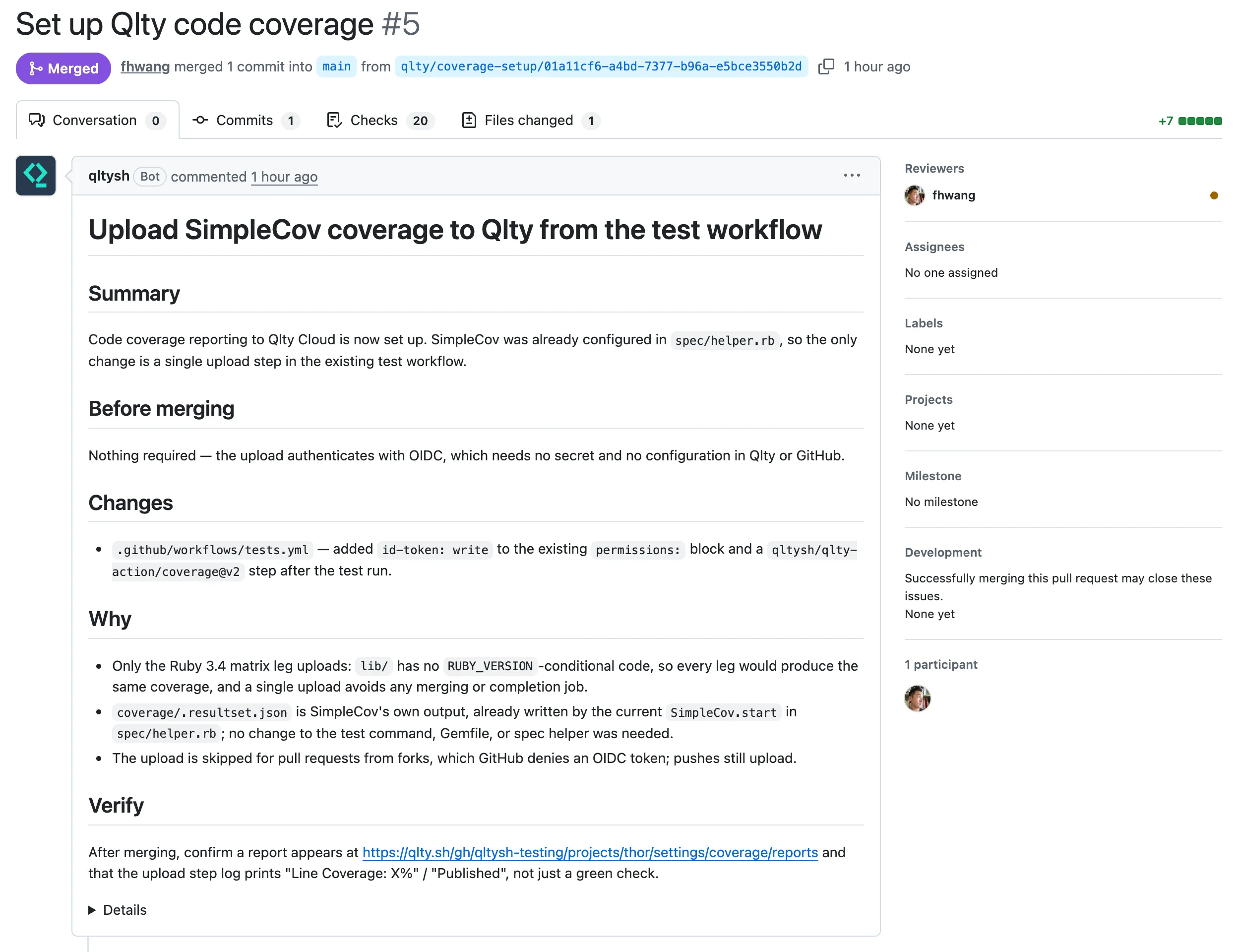
Here’s what this looks like on a fork of rails/thor. After we click Set up automatically, it takes about three minutes to get a working PR that will upload our repo’s coverage going forward.

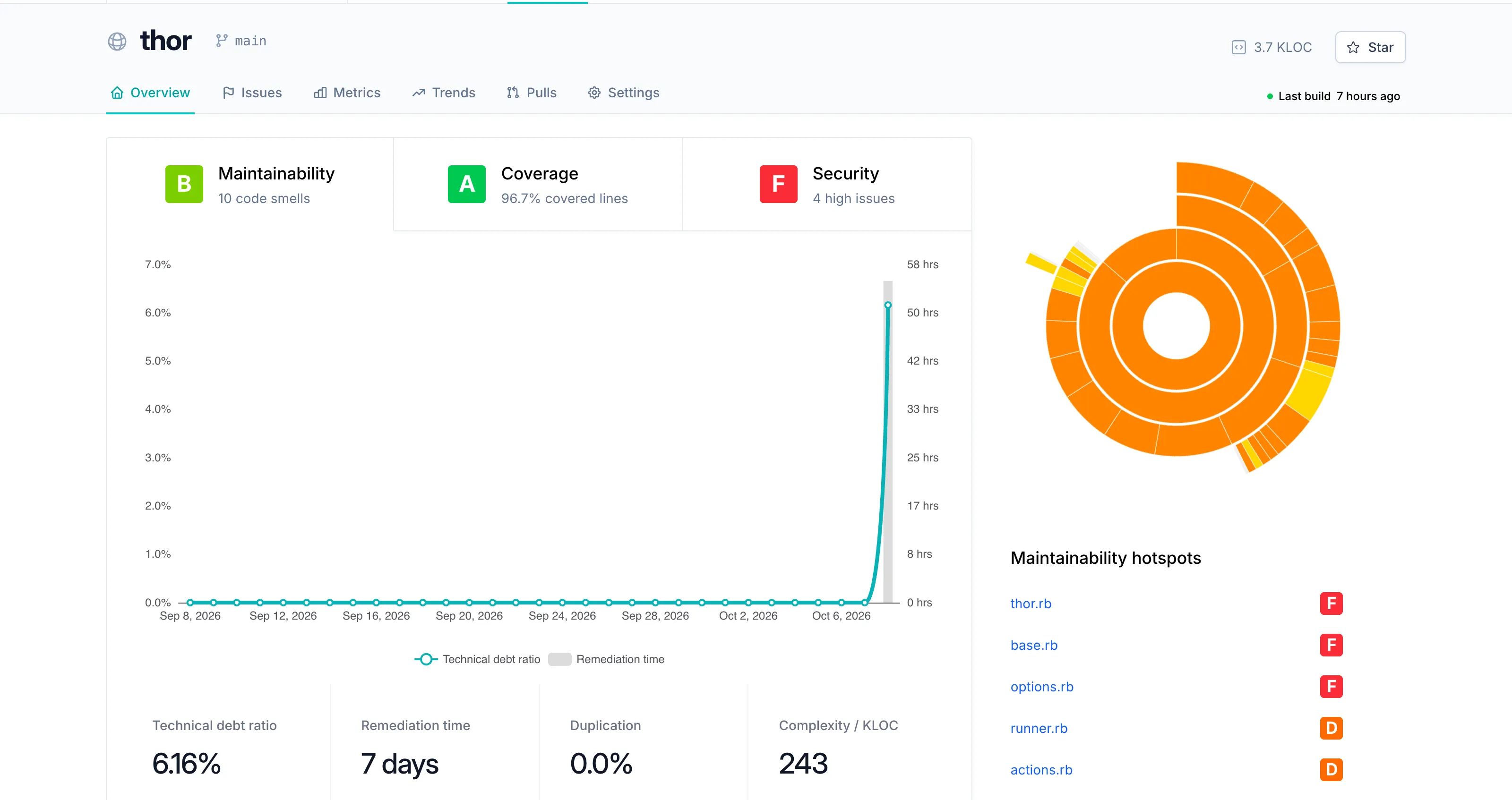
Once you merge this PR, you’ll get a coverage report the next time CI runs on your default project. Head on over to your project’s coverage report on Qlty to learn more about how your team is doing.
How it works
Qlty Cloud’s agent runs in an isolated build container with a copy of your default branch and no Git credentials. It reads your CI configuration and test setup, and then writes the smallest change that produces complete coverage. On GitHub Actions that is the Qlty GitHub Action with OIDC, so there is no secret to add. On other CI providers the upload uses a coverage token, and the pull request tells you which one to add before merging.
The agent only edits files. It cannot commit, push, call GitHub or add secrets. Qlty turns its edits into a patch and opens the draft pull request, and nothing else leaves the container.
We have tested Automated Coverage Setup on GitHub Actions. On CircleCI and other providers, review the pull request with extra care.
If the draft pull request’s CI fails, the same page offers two other paths. Your agent runs Qlty’s open source setup-coverage skill in Claude Code, Codex, Cursor or another agent on your machine, where it can run your tests and iterate until CI passes. Manual gives you the token, a language picker and a CI snippet.
To set up coverage, Qlty sends your repository’s default branch to an AI subprocessor, currently Anthropic, which does not train models on it. The subprocessor list is at trust.qlty.sh.
Try it
Automatic coverage setup is on today for every workspace on Qlty Cloud, on every plan, with nothing to enable. You need the admin role on the project. Open a project with no coverage, go to Project Settings → Code Coverage, and click Set up coverage.
The docs are at Automatic Coverage Setup. New to Qlty? Get started at qlty.sh and import a repository.